
Operating instructions – central, versioned, easy to find
Operating instructions are part of everyday occupational safety – and often end up in scattered folders or emails. With AMS Go you manage them centrally, version changes and make them easily accessible to your employees – including AI support when creating them.
Ideal forPlastics & chemicalsSkilled trades
Your benefits at a glance
The module is designed for practical use – usable on mobile and seamlessly integrated into your existing processes.
Central management
All operating instructions in one place – searchable, filterable and accessible to authorized employees.
Versioning
Document changes traceably. Every version stays archived – ideal for audits and evidence.
Quick access
Employees find operating instructions in the web app and mobile app – without searching through folders.
AI creation
Create operating instructions with AI support – faster, more consistent and legally sound.
Departments & sites
Filter operating instructions by department or site – so you keep the overview even in large companies.
Everyday results
What you typically gain
- No more scattered Word files or folder structures
- Always the current version – without manual updates
- Faster creation thanks to AI and templates
- Easy access for employees – on mobile too
What it looks like in everyday work
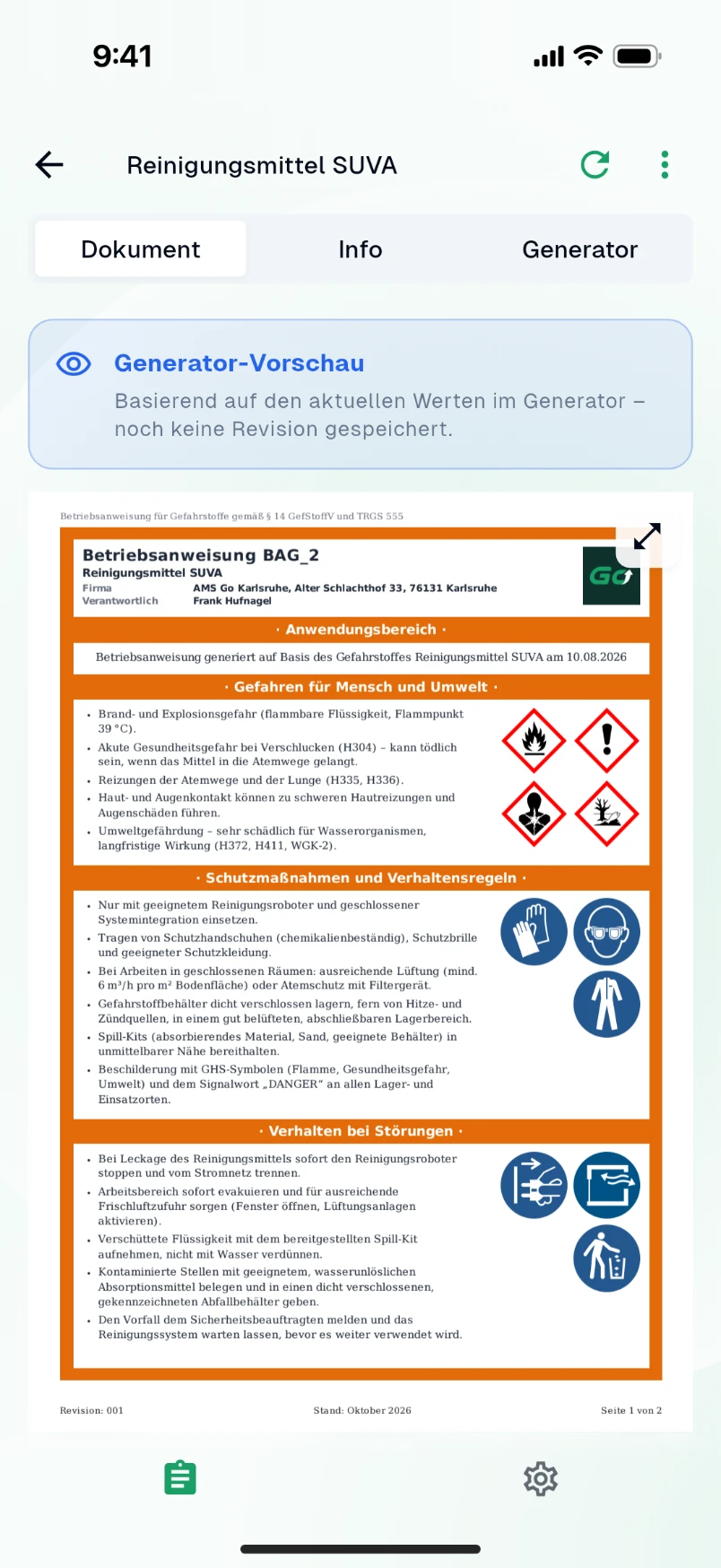
Operating instructions for hazardous substances, machines and biological agents are mandatory – and they go out of date faster than they get replaced. With AMS Go every operating instruction lives in one place, with version, approval and assignment to work areas and sites. What hangs at the workplace is always the approved version.
For hazardous substances the AI drafts the instruction from the safety data sheet: hazards, protective measures, behaviour in an emergency, first aid, disposal. You review, adapt and approve.
How it works in AMS Go
- 1
Create a draft
From the safety data sheet or the manufacturer's manual the AI generates a draft in the familiar structure. Alternatively start from a template or your own text.
- 2
Review and approve
The safety specialist or manager reviews the draft, adds company specifics and approves it. The approval is recorded with date and person.
- 3
Assign and distribute
Assign the instruction to work areas, substances or machines. Employees find it in the app – via search or directly at the equipment.
- 4
Update and brief
When the safety data sheet changes, AMS Go notifies you. The new version replaces the old one, the history remains, and the related briefing is planned in the training matrix.
Mandatory for hazardous substances, equipment and biological agents
For work with hazardous substances, German law requires a written, workplace-specific operating instruction in plain language; the technical rule TRGS 555 defines its structure. Similar duties apply to work equipment with specific hazards and to biological agents. The operating instruction is the basis of the safety briefing.
Frequently asked questions
Does the AI produce a finished operating instruction?
It delivers a complete draft from the safety data sheet. Adapting it to the specific workplace – ventilation, quantities, responsible persons – and approving it is done by a qualified person. That takes minutes instead of hours.
Can employees see operating instructions without a login?
Employees with app access see the approved instructions for their area. For display at the workplace you export each instruction as a PDF in the classic layout.
What happens to old versions?
They stay in the archive with their approval date. You can always prove which version applied at a given time – after an incident or in an audit.
Are operating instructions available in several languages?
You can create versions in additional languages and assign them to the same activity. The AI assists with translation, approval stays with you.
Modules that go with it
All modules work together – actions, records and deadlines come together in one place.
Hazardous substances
SDS, AI extraction, approvals
View moduleTraining matrix
Plan and document safety briefings
View moduleRisk assessments
Digital, structured, with AI
View module
See the module live
In a demo we show you the module with your own examples – 30 minutes, no obligation.