
Visitor management – check in, check out, GDPR-compliant
Visitors and contractors are part of everyday operations – and registering them should be quick, clear and GDPR-compliant. With AMS Go you register visitors digitally, optionally via a tablet terminal, and the data is deleted automatically once a retention period expires.
Your benefits at a glance
The module is designed for practical use – usable on mobile and seamlessly integrated into your existing processes.
Quick registration
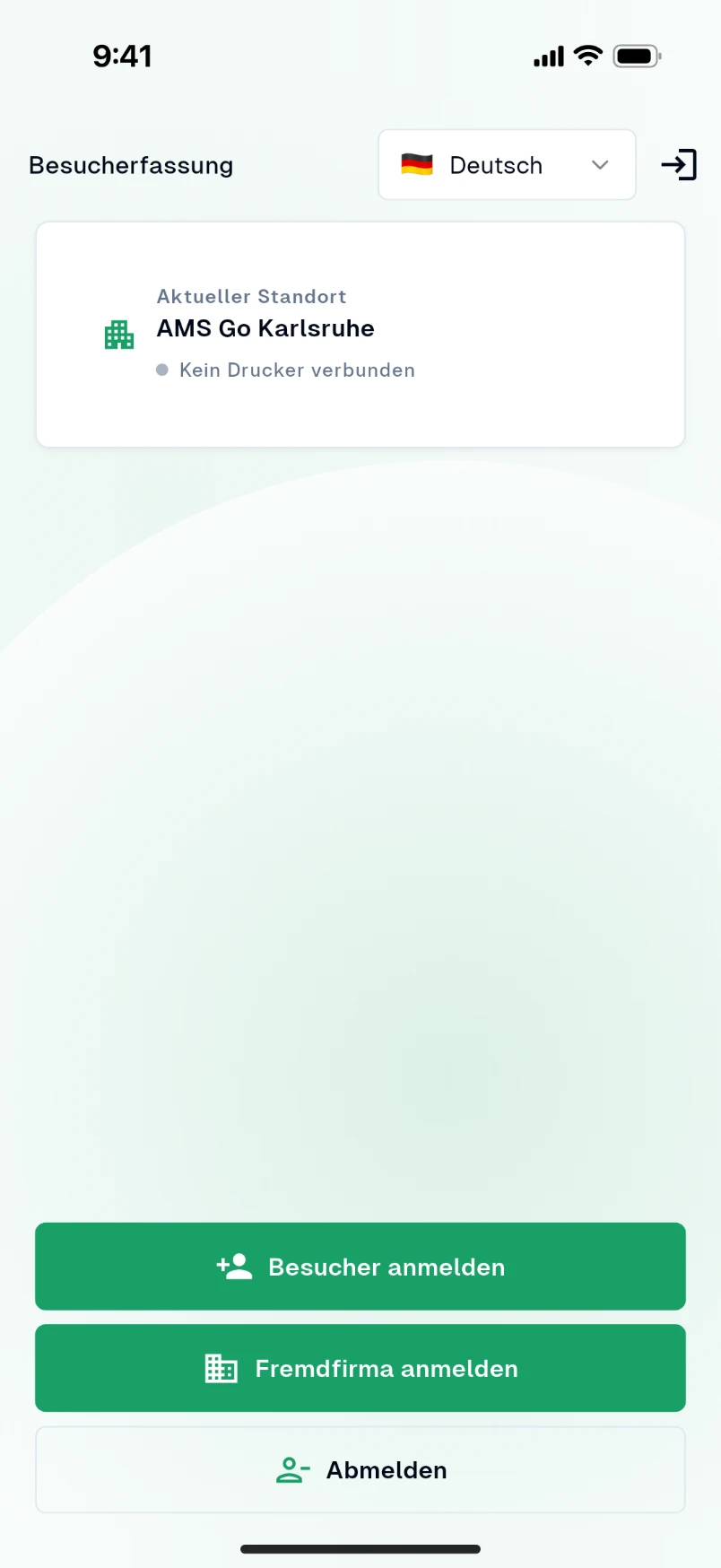
Register visitors and contractors in just a few clicks – in the web app or on a tablet used as a visitor terminal.
Visitor terminal
Mobile app as a self-service kiosk on a tablet: visitors sign in themselves and their host is recorded.
Check-out & overview
Who is still on site? Check out with one click – or automatically after configurable time periods.
GDPR-compliant deletion
Visitor data is deleted automatically after a configurable period – compliant with data protection rules.
Safety briefings
Link visitors to the required safety briefings and access permissions.
Everyday results
What you typically gain
- No more filling in paper lists by hand
- Transparency: who is currently on site?
- Automatic deletion – GDPR-compliant
- Easy integration into existing processes
What it looks like in everyday work
Who is on site right now? In a fire alarm that question must be answered within seconds – including visitors, suppliers and contractors. Paper lists at reception are incomplete, hard to read and a data protection problem.
With visitor management guests check in at a terminal or via app, confirm the safety briefing and are checked out when they leave. The attendance list is always current, and personal data is deleted automatically after the retention period.
How it works in AMS Go
- 1
Check-in in seconds
Visitors register at a tablet terminal, via QR code or in advance via invitation link. Company, host and purpose are recorded, contractors store their qualifications.
- 2
Briefing before entry
Before entering, guests confirm the site's safety and hygiene rules – as text, video or with comprehension questions, in several languages.
- 3
Attendance at a glance
Reception and managers see who is where. In an emergency the evacuation list shows all present persons – also on mobile at the assembly point.
- 4
Check out and delete
When leaving, guests are checked out. Data is deleted automatically after the configured period; briefing records remain in anonymised form.
Coordinate contractors, protect data
When employees of several employers work at one location, the employers must cooperate and inform each other about hazards. Visitor data is personal data: it may only be collected for a specific purpose and must be deleted when that purpose ends. Open visitor lists violate this.
Frequently asked questions
What hardware do I need for the terminal?
A standard tablet with a browser is enough – on a stand at reception or at the gate. Visitor badges can optionally be printed.
Can visitors be invited in advance?
Yes. Hosts send invitations with a link; visitors enter their details and complete the briefing beforehand. On the day, check-in takes seconds.
How does the evacuation work?
The evacuation list shows all present visitors and contractors per site. At the assembly point, responsible persons tick off who has arrived in the app.
How long is visitor data stored?
As long as you define – for example 30 days. After that, personal data is deleted automatically. Briefing records are kept in anonymised form.
Modules that go with it
All modules work together – actions, records and deadlines come together in one place.
Training matrix
Plan and document safety briefings
View moduleSafety inspections
Mobile, structured, traceable
View moduleFolder management
File documents in a structured way
View module
See the module live
In a demo we show you the module with your own examples – 30 minutes, no obligation.